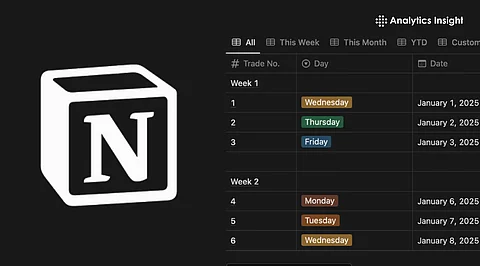
Managing sales on Facebook Marketplace can often feel overwhelming. With numerous items listed, buyer conversations, and delivery schedules to juggle, sellers frequently struggle to maintain clarity and organization. Notion, a versatile productivity tool, offers a solution by enabling users to create a custom dashboard that tracks every aspect of their sales and trades on this popular platform.
Using Notion, individuals can log items listed, sold, or traded, effectively tracking each listing’s lifecycle through a structured database. This approach allows sellers to manage their Marketplace transactions with precision, facilitating better analysis of revenue, trade status, and inventory.
Establishing a Centralized Tracking System
According to a guide from NavThemes, the first step in using Notion for Facebook Marketplace is to create a “Marketplace Tracker” database. Each row in the database represents a listing, with essential columns such as “Item Name,” “Price,” “Date Listed,” “Buyer Name,” “Status,” and “Pickup/Delivery Date.” This organized method replaces the chaos of manually checking chats or losing track of sold items, providing sellers with a clear overview of their transactions.
The flexibility of Notion’s layout enables users to tailor their tracker according to their needs. Additional custom fields can include details like Messenger links, buyer profiles, or specific trade-in information. This adaptability allows for a personalized experience that can evolve alongside the seller’s activities.
Setting Up Your Notion Dashboard
To get started, users need to create a new page in Notion and set up a table-type database. Key properties should include the item’s name, images, condition (such as available, sold, traded, or pending), cost, listing date, buyer or contact details, shipping or pickup dates, and any relevant remarks or Facebook listing URLs.
Once the listings are entered, sellers can utilize Notion’s filtering views to sort items by their status. This functionality enables users to quickly identify which items are active, sold, or require follow-up actions. For those engaged in frequent trades, adding a custom property like “Trade Type” can further enhance the tracking process by recording details such as what was exchanged and its approximate value.
Enhancing Organization and Analytics
Notion also provides advanced features for data summarization through formulas, roll-ups, and filters. For example, sellers can create a total sales counter that aggregates revenue from all sold items. As the number of listings increases, different views such as by category, listing date, or status can simplify management. Additionally, a calendar view or timeline can assist users in tracking postings and scheduled deliveries or pickups.
For those looking to reduce manual input further, integrating Notion with external services can automate data transfer, saving time and minimizing errors. Automation tools can bridge the gap between Facebook Marketplace and Notion, allowing for smoother workflows.
Challenges and Considerations
Despite its many advantages, some sellers face challenges when implementing a Notion-based tracking system. Manual entry can lead to human error, such as mistakenly marking an item as sold or omitting details about a trade. For users handling a high volume of transactions, this manual process may become labor-intensive.
While Notion does not possess the advanced capabilities of dedicated CRM or automation software, it offers a cost-effective alternative for casual sellers or small business owners. The clarity provided by a custom Notion setup can transform a chaotic selling process into an organized operation, making it easier to track items listed, sold, or traded, as well as revenue and trade history.
Overall, utilizing Notion for Facebook Marketplace sales provides a streamlined approach that can significantly enhance productivity for users looking to simplify their transaction management.