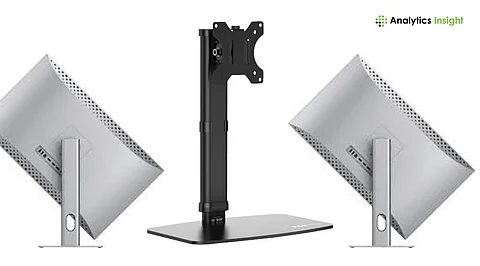
The modern work environment has evolved dramatically, leading to increased reliance on technology that enhances productivity and comfort. As professionals worldwide adapt to hybrid schedules and extended screen time, selecting the right monitor has never been more important. Today’s displays must not only provide impressive visuals but also offer advanced connectivity, effective cable management, and ergonomic features that promote long-term comfort.
A significant trend in monitor technology is the widespread adoption of USB-C and Thunderbolt ports. These interfaces simplify workflows by enabling users to connect their laptops and tablets with a single cable that supports video, audio, data transfer, and power delivery. This shift is particularly appealing for users of devices like the MacBook Pro and modern Windows ultrabooks, where USB-C monitors can charge the device while delivering content to a larger screen.
Understanding the Importance of Connectivity
The evolution of connectivity standards has transformed how professionals approach their workstations. Traditional cables like HDMI and DisplayPort have gradually given way to multifunctional options such as USB-C and Thunderbolt. These modern ports offer numerous benefits, including:
1. **Power Delivery**: When comparing USB-C monitors, wattage is crucial. A 65W PD output may suffice for lighter laptops, but for devices like the MacBook Pro, a 90W or 100W output is ideal. A robust power delivery rating ensures that your device charges effectively even during intensive tasks.
2. **Bandwidth**: While USB-C provides versatile connectivity, Thunderbolt excels in bandwidth capacity. Thunderbolt 3 and 4 support speeds up to 40 Gbps, making them suitable for external SSDs and docking stations without compromising performance.
3. **Daisy Chaining**: Thunderbolt monitors allow users to connect multiple displays through a single cable from their laptop, reducing clutter and the need for additional ports or splitters. Certain USB-C monitors also support Multi-Stream Transport (MST), enhancing workspace expansion.
4. **Built-in Hubs**: Many USB-C and Thunderbolt monitors feature integrated USB hubs, enabling users to connect keyboards, webcams, and storage devices directly to the monitor. This functionality turns the display into the central hub of a workstation, promoting a cleaner and more organized desk.
Prioritizing Ergonomics in Monitor Selection
While image quality is often the primary focus when purchasing a monitor, ergonomic design plays a critical role in maintaining comfort and productivity. Poorly positioned monitors can lead to discomfort, including neck strain, shoulder pain, and headaches. To avoid these issues, consider the following adjustments:
1. **Height Adjustment**: The ideal monitor should be positioned so that the top edge is slightly below eye level. Failure to adjust height can force users to look up or down, leading to discomfort over time.
2. **Tilt and Swivel Features**: Monitors should be flexible enough to tilt and swivel, accommodating various seating positions. This is especially beneficial during collaborative discussions or presentations.
3. **Pivot Functionality**: For professionals who frequently work with long documents or code, a monitor that can pivot 90 degrees is invaluable. This feature is useful for dual-monitor setups, where one display can be oriented vertically.
4. **VESA Compatibility**: If using monitor arms or wall mounts, ensure the display is VESA-compatible (typically 75x75mm or 100x100mm). Monitor arms can offer greater flexibility, reduce desk clutter, and provide precise screen positioning.
The decision to invest in a USB-C or Thunderbolt monitor with ergonomic features ultimately depends on individual work habits. For those in creative fields or programming, the benefits of fast data transfer and improved posture support can be significant. Conversely, casual users with minimal screen time might find a standard HDMI monitor sufficient for their needs.
In summary, understanding the nuances of connectivity and ergonomics is essential when selecting a monitor. The right choice can enhance your workspace, improve comfort, and boost productivity in an increasingly digital world.